
The Photo You Just Uploaded Has Your Home Address In It
Security researchers have a common demonstration: they pull a handful of photos from someone's public social media account, extract any GPS coordinates embedded in the files, and plot them on a map.
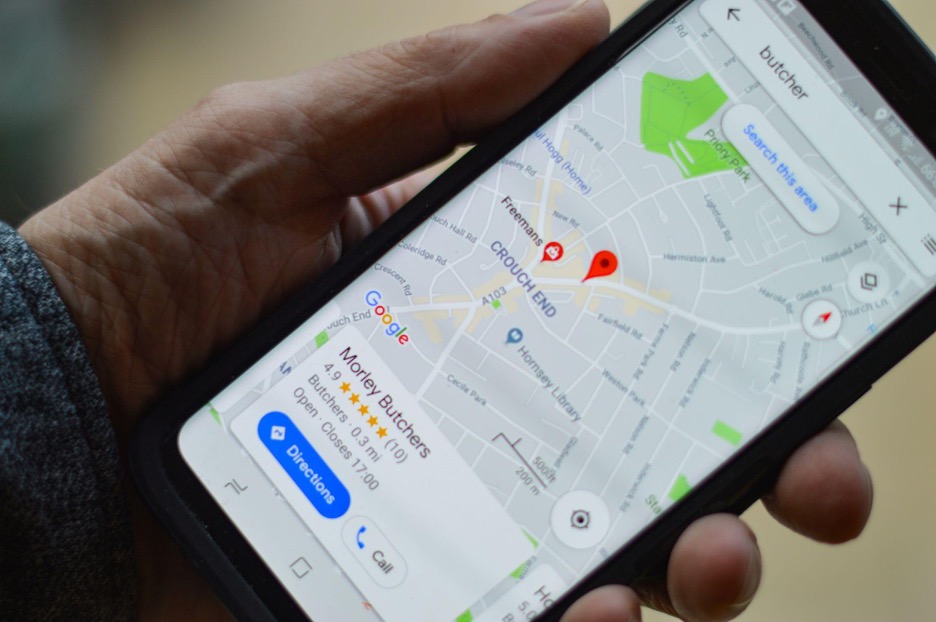
With enough posts, the resulting cluster of points is often enough to identify a home address, workplace, and regular haunts. The technique requires no hacking, just publicly available photos whose metadata has not been stripped. Smartphone cameras embed GPS coordinates in each photo by default, often accurate to within a few meters.
Your Camera is a GPS Tracker
Every time you take a photo with a smartphone, the GPS chip, the same one used for maps and navigation, determines your precise position at the moment of capture. The camera app then writes the coordinates directly into the image file as EXIF (Exchangeable Image File Format) metadata. EXIF can be thought of as a hidden dossier that travels with every photo. It shows information like the camera model, shutter speed, timestamp, and your precise geographic location.
The precision matters as GPS coordinates in EXIF data can be accurate to three to five meters. This is enough to distinguish between apartments in the same building or even figure out which park bench you sat on. The coordinates appear like this: 40.6782 N, 73.9442 W. With that kind of specificity, we are not talking about finding a neighborhood but a precise spot.
This feature, known as geotagging, is enabled by default on most smartphones. The original intention was benign, as it could help you figure out where you were when you took a photo or organize your library by location. The privacy implications, however, are serious, and they're worth understanding before you click "Post".
Common Ways Location Data Leaks
Several common scenarios can leak location data even when the person posting is otherwise careful.
Selling Things Online
Listing items on Craigslist, Facebook Marketplace, or OfferUp requires uploading photos. Some of these platforms strip EXIF data on upload and some do not, and behavior can differ between the web and mobile apps. If the photo is not stripped, anyone who downloads it can read the GPS coordinates in a metadata viewer.

Vacation Photos
Posting vacation photos in real time signals that your home is currently unoccupied. Correlations between social media activity and residential burglaries have been studied and several police departments have issued advisories on the topic.
Daily Routines
Regular photos of runs, dog walks, or coffee stops carry timestamps and locations. Over a week or two, these form a pattern that shows where someone is likely to be at a given time.
Photos of Children
Photos of children posted publicly with embedded coordinates pointing to a home address or school location carry obvious risks, and many family-oriented privacy guides specifically call out this case.
The OSINT Problem
OSINT (Open Source Intelligence) is the practice of gathering information about individuals or organizations from publicly available sources. It is used by journalists, investigators, and law enforcement, as well as by stalkers and harassers.
The technique for extracting location data is not specialized: download the photos, run them through a free metadata viewer, and plot the coordinates on a map. Cluster analysis makes it easy to identify the most frequently visited locations. The low barrier to entry is why disabling geotagging and stripping EXIF from photos before posting is a reasonable precaution.

How Do You Know If Your Photos Carry GPS Data?
Before doing anything else, inspect some of your photos. You can easily do this on most devices you use. Here is a summary of what that process entails:
- On Windows: Right-click a photo, select Properties, then click on Details. Scroll to the GPS section if it appears. Latitude and longitude values mean that the photo is geotagged.
- On Mac: Open the photo in Preview and go to Tools - Show Inspector (you can also press Cmd+I). Click the GPS tab if it appears. A map with a pin confirms that location data is included.
- On iPhone: Open a photo in the Photos app and swipe up. If a map appears showing where the photo was taken, it has geotags.
- On Android: Open the photo in Google Photos and tap on the three-dot menu to select Details. Location information will show up there if it was captured.
- A dedicated metadata viewer (browser-based or a local tool like ExifTool) will show you the full list of fields, including compass direction and altitude if present.
How Do You Turn Off Geotagging
Luckily, on both iOS and Android, you can disable geotagging. It takes about thirty seconds, and once it is off, the camera will stop embedding data in new photos. The old photos will retain any data they already captured. It is worth noting that other apps with camera access, such as Instagram, WhatsApp, etc., have their own location permissions that you may want to review separately.
On iPhone: Settings -> Privacy & Security -> Location Services -> Camera -> select Never.
On Android (stock/Pixel): open the Camera app, tap the settings gear, and turn off "Save location" or "Location tags".
On Samsung devices, the same setting is found under Camera Settings -> Location tags.
How Do You Remove GPS Data From Existing Photos
Now that geotagging is off, you might be wondering what to do about those photos you already took. There could be thousands of them already on your device with embedded locations.
On Windows
Right-click on a photo -> Properties -> Details -> Remove Properties and Personal Information. This can be applied to one or multiple files at the same time and has recently been expanded to Teams.
On Mac
Preview can show whether a photo has location data but does not remove it cleanly. ImageOptim is a reliable GUI option, and ExifTool is the most capable choice for batch processing from the command line. Browser-based tools like EXIF Viewer can also inspect and strip metadata without any installation.
☞ A note on social media: Major platforms like Instagram and Facebook strip most EXIF data from the public copy of uploaded images. Messaging apps, email attachments, cloud storage links, forums, personal websites, and many smaller platforms do not. Assuming a photo is clean because it was uploaded somewhere is not reliable.
When Geotagging Is Actually Worth Keeping
Geotagging is not always dangerous and can be used for the right reasons.
Travel Photography
If you take a long trip through multiple locations you've never been to, geotagging can help you organize them for your own reference. You can always strip the geotags before sharing.
Asset Documentation
If you photograph for insurance claims, real estate listings, construction projects, or other official work, location metadata can provide verifiable context. It can prove that a photo was taken at the claimed location, which matters in a dispute.
Professional Fieldwork
Wildlife researchers, geologists, urban planners, archaeologists, and other fieldwork professionals rely heavily on embedded location data. It is core to their documentation, and for them, having all the metadata is the point.
Your Own Memory
A map view of your photo library with clusters of pins marking years of moments and trips is genuinely pleasant to experience. The goal is not to remove geotagging but to keep the data for yourself and strip it before sharing with the world.