
What Do Your Photos Know About You, and Who Are They Telling?
In digital forensics, pixels alone are often ambiguous, but the metadata attached to a file is usually a more reliable record of how and where an image was created. Every photo you take, whether it is of your dog or of a news event, also produces a block of embedded metadata that travels with the file.
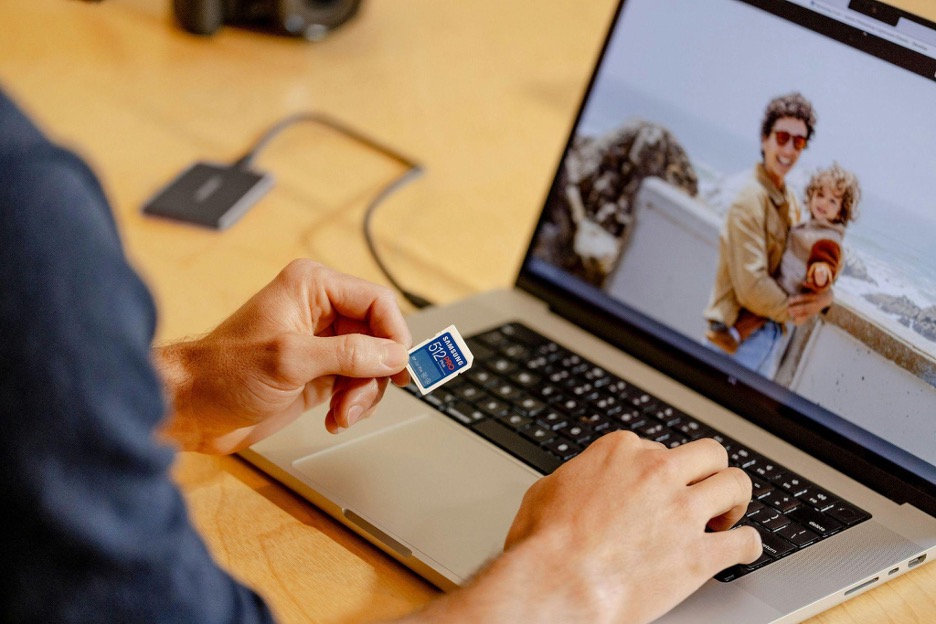
This data is known as EXIF (Exchangeable Image File Format). Pixels capture what a scene looks like; metadata captures context. Most of the context is not visible in the image itself, but it can include GPS coordinates, timestamps, camera and lens details, and identifying hardware fields. Given enough photos from the same person, the location data alone is enough to reconstruct regular routines.
What is EXIF Data?
EXIF was first published in 1996 by the Japan Electronic Industries Development Association (JEIDA) and is now maintained by the Camera & Imaging Products Association (CIPA). Recent revisions of the standard have added support for HDR imaging and computational photography fields.
When a photo is captured, the camera's firmware writes a block of metadata into the file's header. The data is organized as numbered tags defined in the EXIF specification.
The Metadata Trinity: EXIF, IPTC, and XMP
While EXIF is the term we most commonly use, modern image files actually have a trio of metadata types. They include:
- EXIF - This is technical data from the camera, such as ISO, GPS, serial number, aperture, shutter count, etc.
- IPTC (International Press Telecommunications Council) - Used primarily in journalistic circles and by agencies for captions, credits, and copyright.
- XMP (Extensible Metadata Platform) - This is a modern, XML-based standard developed by Adobe to track editing history and flag AI-generated imagery.
These three work together. If you run a photo through Adobe Lightroom or Canva, the XMP metadata records the software version, while the EXIF data preserves the original camera settings.
The GPS Problem
The most documented privacy risk in metadata is geotagging. Most modern smartphones have a combination of GPS, GLONASS, and Wi-Fi triangulation to stamp photos with precise coordinates. This vulnerability is not hypothetical and was famously what gave away John McAfee's location, the famous fugitive behind McAfee antivirus and security.
Similarly, television host Adam Savage once tweeted a photo of his vehicle, only for fans to point out that the embedded metadata led directly to his front door. This was back when social media sites did not consistently strip metadata from uploaded photos.
How Geotagging Works Today
GPS data in modern photos has become more granular. Smartphones can record not just latitude and longitude but also altitude (GPSAltitude) and compass heading (GPSImgDirection). With altitude data, it may be possible to distinguish between floors in an apartment building or office. The heading tells a viewer which way the camera was pointed, which, combined with visible landmarks, can localize a shot further.
Combined with timestamps, a sequence of geotagged photos can sketch a rough map of someone's routine: commute path, gym, and the hours they are typically away from home.
Hardware Fingerprints: The Serial Number
A less commonly discussed EXIF field is the camera body or image sensor serial number. Many mid-range and high-end cameras, and some smartphones, embed this in each file (often in the manufacturer-specific MakerNotes block).
Because the serial number is tied to the physical device, images from different online accounts can sometimes be linked back to the same hardware. This is one of the methods used in forensic work and law enforcement investigations.
The Ghost Thumbnail Vulnerability
One of the most surprising quirks of EXIF data is that it embeds thumbnails of the original image. This is what you see when browsing a folder and previewing images.
Many basic photo editing apps fail to update the thumbnail if you crop the image. If you did crop something out, a clever user can still find the origins, the uncropped version that could reveal sensitive or personal information.
It's not uncommon for EXIF data to undermine claims of authenticity. In online debates, people have submitted photos as "unedited evidence" only for the software field to reveal editing apps like Facetune or Photoshop. A supposedly untouched comparison photo that carries an editing app's signature in its metadata loses credibility instantly.
C2PA and AI Authenticity
As generative models have improved, distinguishing camera-captured images from AI-generated ones has become harder. The Coalition for Content Provenance and Authenticity (C2PA) defines a specification called Content Credentials: a cryptographically signed metadata block that records a file's origin and edit history.
When an image is captured with a supported camera, the C2PA manifest can identify the device. When an image is generated or modified by AI, a conformant tool records that as well. The manifest can be verified independently, which provides a check that does not rely on visual analysis.
How Social Platforms Handle Metadata
How social media handles metadata is not consistent across platforms:
1. Platforms that strip metadata
Instagram, Threads, WhatsApp, Signal, and X generally strip EXIF on the public copy. X may retain some copyright-related fields. Policies change over time, so assume strip behavior can vary by platform and file type.
2. The exposed tier
Files sent via email, or shared as links from cloud storage (Google Drive, Dropbox, iCloud Shared Links, etc.), are typically delivered as the original file with all metadata intact.
Personal blogs and forums are in the same category unless the hosting software is explicitly configured to strip metadata. Direct messaging is another case to watch, especially when sending images as a "Document" or "File" attachment, which preserves the original bytes in both Signal and WhatsApp.
Stripping Metadata Yourself
When you are not sure whether a platform scrubs metadata, strip it yourself before uploading.

1. On Phones
Recent versions of iOS and Android include per-share privacy controls. When sharing a photo, tap "Options" at the top of the Share Sheet and toggle off "Location" (and on iOS, "All Photos Data") so the copy being sent does not carry the fields.
2. Desktop utilities
ExifTool is a command-line utility that can read and write almost every metadata tag in common formats. For a no-install option, browser-based viewers like EXIF Viewer work for quick inspection.
3. Disabling location services
To stop the data from being recorded in the first place, revoke the camera app's location permission in your phone's system settings.
Keep EXIF, Control What Leaves Your Device
EXIF is useful. For professionals managing large libraries, it is the backbone of how they search, filter, and verify their own work. The privacy concern is not EXIF itself but the default behavior of keeping it intact when sharing files with strangers.
The volume of metadata per image continues to grow with each new generation of hardware. Knowing what is in your files, and controlling what leaves your device with them, is the practical takeaway.